Information Technology (IT) made simple
From smart devices to expert advice, we help you get more from every click…Economically!

Helpful Services
-
PPCS first uses the Onboard/Manufacturers built-in Diagnostic tools, if available. I/We not only check for functionality. Our process relies on a tiered system of routine checks, preventative maintenance.
-
PPCS IT Technician/Engineers follow a clear, structured, step-by-step process to back up systems and devices, ensuring data integrity, minimal downtime, and dependable recovery. Most professionals across a wide range of platforms agree that combining automated scheduling, multiple storage layers,
PPCS IT Technician/Engineers follow a clear, structured, step-by-step process to back up systems and devices, ensuring data integrity, minimal downtime, and dependable recovery. Most professionals across a wide range of platforms agree that combining automated scheduling, multiple storage layers, and routine testing forms the core of a dependable, professional workflow.
Assessment and Planning
Identify critical data
PPCS IT Technician/Engineers follow a clear, structured, step-by-step process to back up systems and devices, ensuring data integrity, minimal downtime, and dependable recovery. Most professionals across a wide range of platforms agree that combining automated scheduling, multiple storage layers, and routine testing forms the core of a dependable, professional workflow.
Assessment and Planning
Identify critical data: Catalog operating systems, user files, databases, application settings, and any configuration or license information needed to fully restore services.
Define metrics: Establish the Recovery Time Objective (RTO)—how quickly systems must be restored—and the Recovery Point
PPCS IT Technician/Engineers follow a clear, structured, step-by-step process to back up systems and devices, ensuring data integrity, minimal downtime, and dependable recovery. Most professionals across a wide range of platforms agree that combining automated scheduling, multiple storage layers, and routine testing forms the core of a dependable, professional workflow.
Assessment and Planning
Identify critical data: Catalog operating systems, user files, databases, application settings, and any configuration or license information needed to fully restore services.
Define metrics: Establish the Recovery Time Objective (RTO)—how quickly systems must be restored—and the Recovery Point Objective (RPO)—the maximum acceptable amount of data loss.
Apply the 3-2-1 rule: Maintain three total copies of data on two different media types, with at least one copy stored
PPCS IT Technician/Engineers follow a clear, structured, step-by-step process to back up systems and devices, ensuring data integrity, minimal downtime, and dependable recovery. Most professionals across a wide range of platforms agree that combining automated scheduling, multiple storage layers, and routine testing forms the core of a dependable, professional workflow.
Assessment and Planning
Identify critical data: Catalog operating systems, user files, databases, application settings, and any configuration or license information needed to fully restore services.
Define metrics: Establish the Recovery Time Objective (RTO)—how quickly systems must be restored—and the Recovery Point Objective (RPO)—the maximum acceptable amount of data loss.
Apply the 3-2-1 rule: Maintain three total copies of data on two different media types, with at least one copy stored offsite or in the cloud for added resilience.
Selecting Backup Types
Full backup:
One of the first questions we will ask, have you saved your important files to an external hard drive or cloud service? This protects your work if the computer breaks.
-
PPCS will Research, Install and Scan your System/device with a trusted antivirus program. Run scans often to find and delete harmful files.
PPCS IT technician follows a structured lifecycle to manage, maintain, and troubleshoot antivirus and malware systems in your home, or across an enterprise network. These processes were in my “Continuity Book” when I was a “Break-Fix /Service Center/Help Desk Technician for a multitude of Federal agencies and private-sector organization.
1. Preparation & Baseline Setup
Deploy agents: Install lightweight endpoint detection and response (EDR) or antivirus agents on all network devices.
Define policies: Set scanning schedules, exclusion lists, and real-time protection parameters based on user roles.
Configure updates: Establish automated schedules for virus definition files and engine updates to ensure zero-day protection.
Integrate logging: Connect endpoint logs to a Centralized Security Information and Event Management (SIEM) system.
2. Monitoring & Detection
Analyze alerts: Monitor central management consoles for high-priority security flags and anomalies.
Review logs: Scan system logs for unauthorized access attempts, disabled security software, or failed updates.
Run scans: Execute periodic full-system scans during off-peak hours to catch latent threats.
Track compliance: Identify unprotected, rogue, or out-of-date devices connecting to the network.
3. Containment & Triage
Isolate devices: Disconnect infected machines from the local network and Wi-Fi immediately to prevent lateral movement.
Kill processes: Terminate malicious active processes via command line or security consoles.
Preserve evidence: Take volatile memory dumps or snapshots if forensic analysis is required for legal or compliance reasons.
Notify stakeholders: Alert the security team and affected users according to the company's incident response plan.
4. Eradication & Remediation
Remove threats: Quarantine or permanently delete detected malicious files through the antivirus interface.
Boot safely: Run specialized offline scanners or boot into Safe Mode if persistent malware resists standard removal.
Clean registries: Repair compromised system files, host files, and registry keys altered by the malware.
Reimage systems: Wipe and reinstall the operating system from a clean baseline image if infection depth is uncertain.
5. Recovery & Post-Incident Review
Restore data: Recover lost user files from verified, clean backup sources.
Verify health: Perform exhaustive follow-up scans before reconnecting the device to the production network.
Patch vulnerabilities: Update the OS, applications, and firmware to close the security gap that allowed the exploit.
Document lessons: Record the root cause, response times, and system vulnerabilities to update future security protocols.
-
Keep your operating system (like Windows or macOS) and apps up to date. Updates fix security holes and bugs.
-
Use built-in tools to delete temporary files and junk data. This frees up storage space. We prefer to use our own PowerShell scripts for task like this.
-
Reorganize traditional hard disk drives (HDDs) to speed up file loading.
We do not do this for solid-state drives (SSDs).
Built-in Windows Tools:
Optimize Drives App: "Defragment and Optimize Drives" in your Start menu, select your SSD, and click Optimize to run a manual scan
-
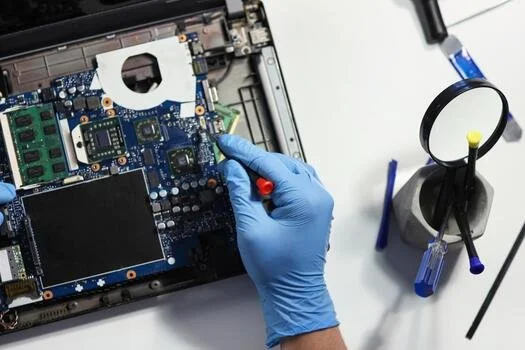
Wipe dust away from vents, fans, screens, and keyboards. Use compressed air for tight spaces.
Explore Our System Purchase Service
About Us
We believe technology should feel friendly—not frustrating. That’s why we focus on clear guidance, honest recommendations, and solutions that fit your real life.


Let’s Connect Online




Have a Question?
Send us a note and we’ll figure things out together.